Developed based on WPF, comprehensive features, easy operation, local data storage is safe and reliable
Download Free NowNote Butler provides a complete note management solution to meet all your note management needs
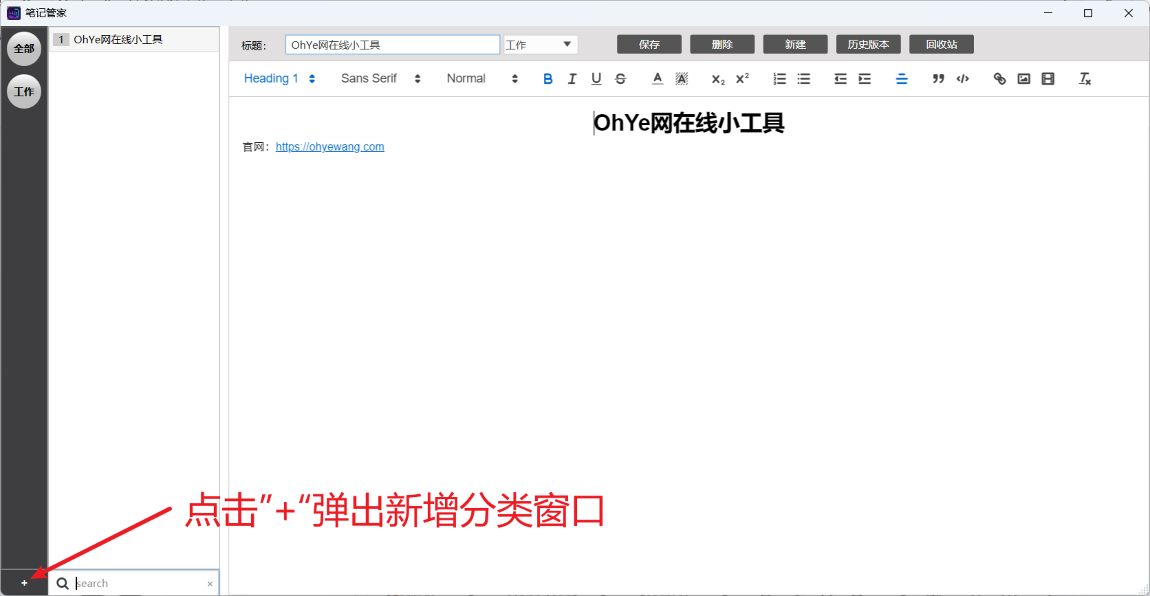
Supports multi-level classification and tag system, customizable category colors, easily organize massive notes, quickly locate required content
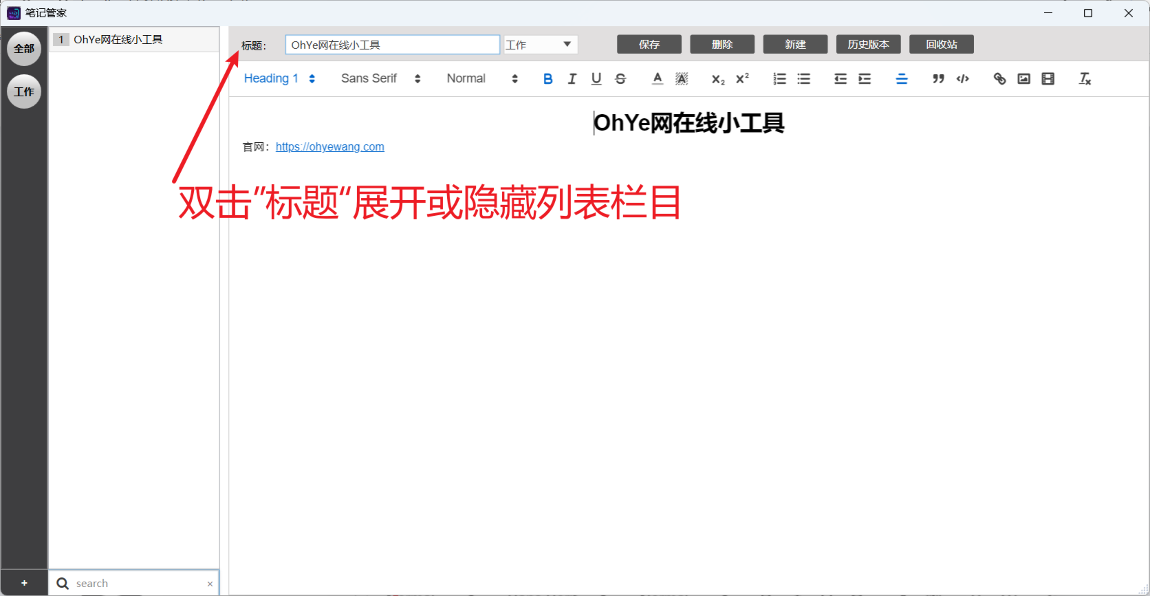
Built-in powerful rich text editor, supports mixed text and images, format settings, code highlighting, etc., meets various recording needs
Automatically saves note history versions, can view, compare and restore any historical version at any time, prevents content loss due to misoperation
Deleted notes do not disappear immediately but go to the recycle bin, supports recovery of accidentally deleted content, better data security
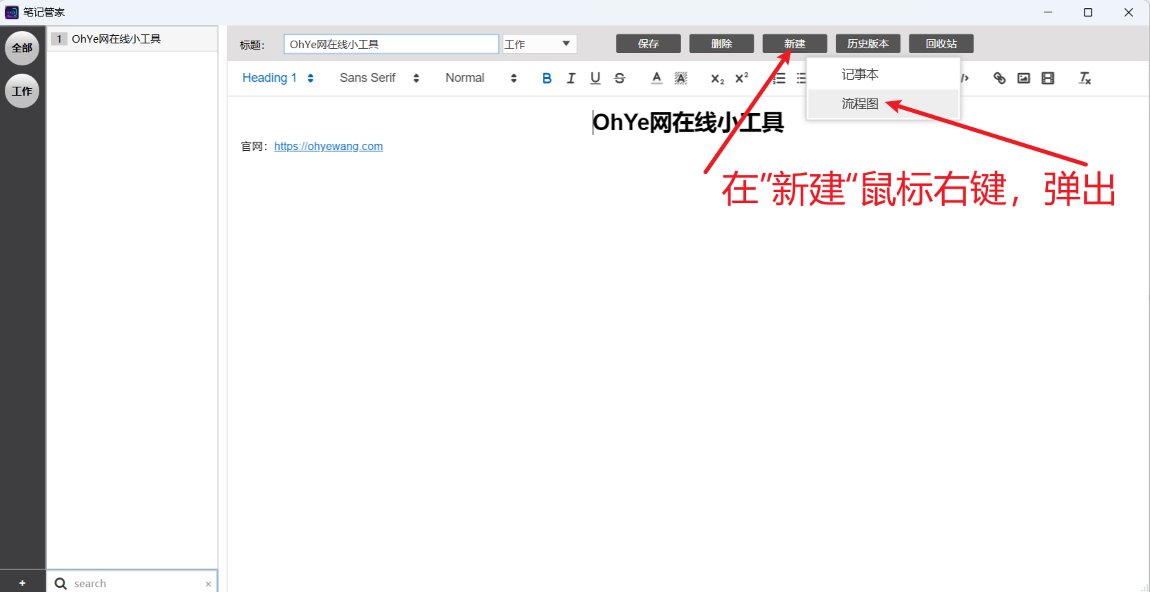
Built-in Draw.io chart tool, can directly create and edit flowcharts, architecture diagrams, etc., and save them to notes for unified management
All data is stored locally, no internet connection required, privacy and security guaranteed, supports data backup and migration
Simple and beautiful WPF interface design, intuitive operation, smooth user experience
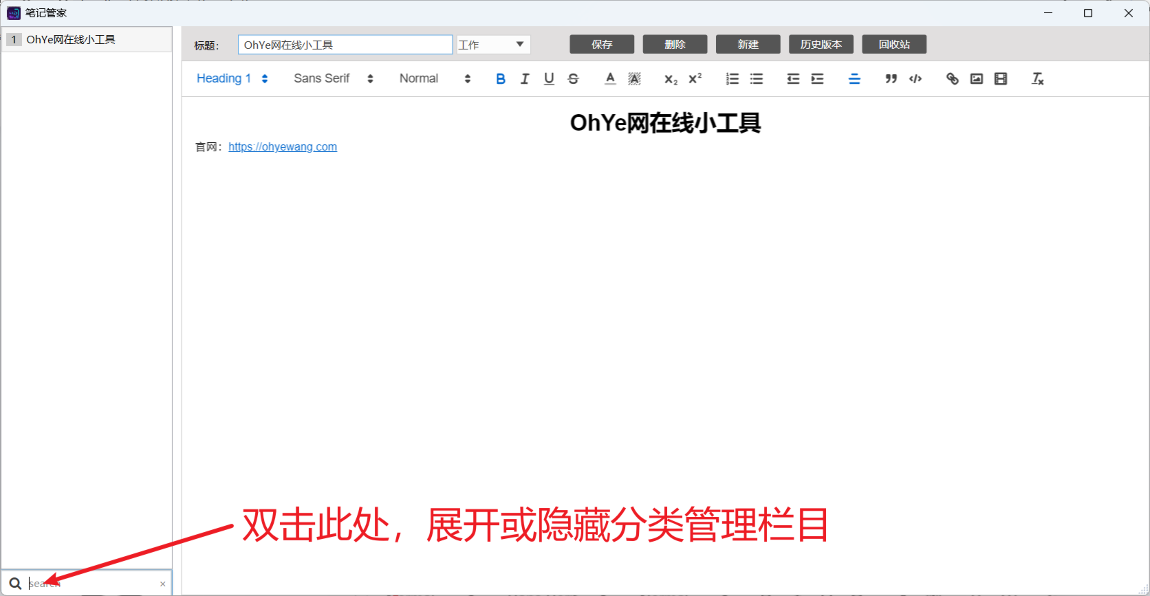
Experience the complete functional interface after download and installation
Three simple steps to start using Note Butler to manage all your notes
Click the download button below to get the installation package, extract it to any directory after download
Enter the extracted directory, double-click to run the main program file
First run will automatically create data storage directory and configuration files
Create categories → Add notes → Use rich text editing content
Draw charts → Manage versions → Securely store all data
All operations are automatically saved, no manual saving required
Get the latest version of Note Butler tool for free and start managing your notes efficiently
Desktop application for Windows system
Download Installation Package (approx. 100MB)笔记管家.exe to start the application